From desking worksheet to a compliant offer on your site, in minutes.
Upload the desk's worksheet. The Specials Builder reads the figures, fills your approved disclaimer with them and builds the offer card, with the Total Price line California's CARS Act asks for. Review it, press Push live, and the offer is on your specials page, your search results, your vehicle pages and the model and city pages we build for you. Minutes, not days.
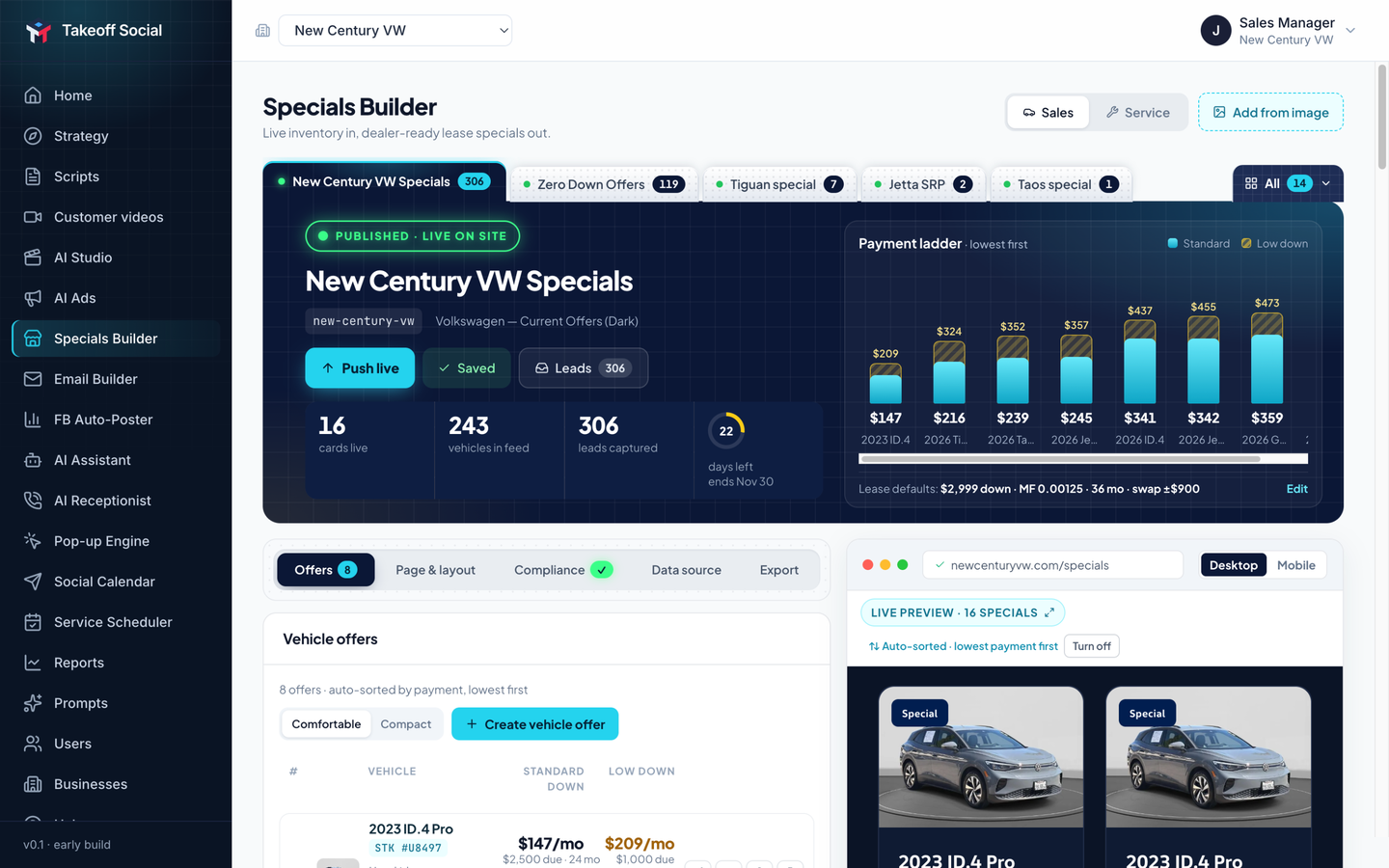
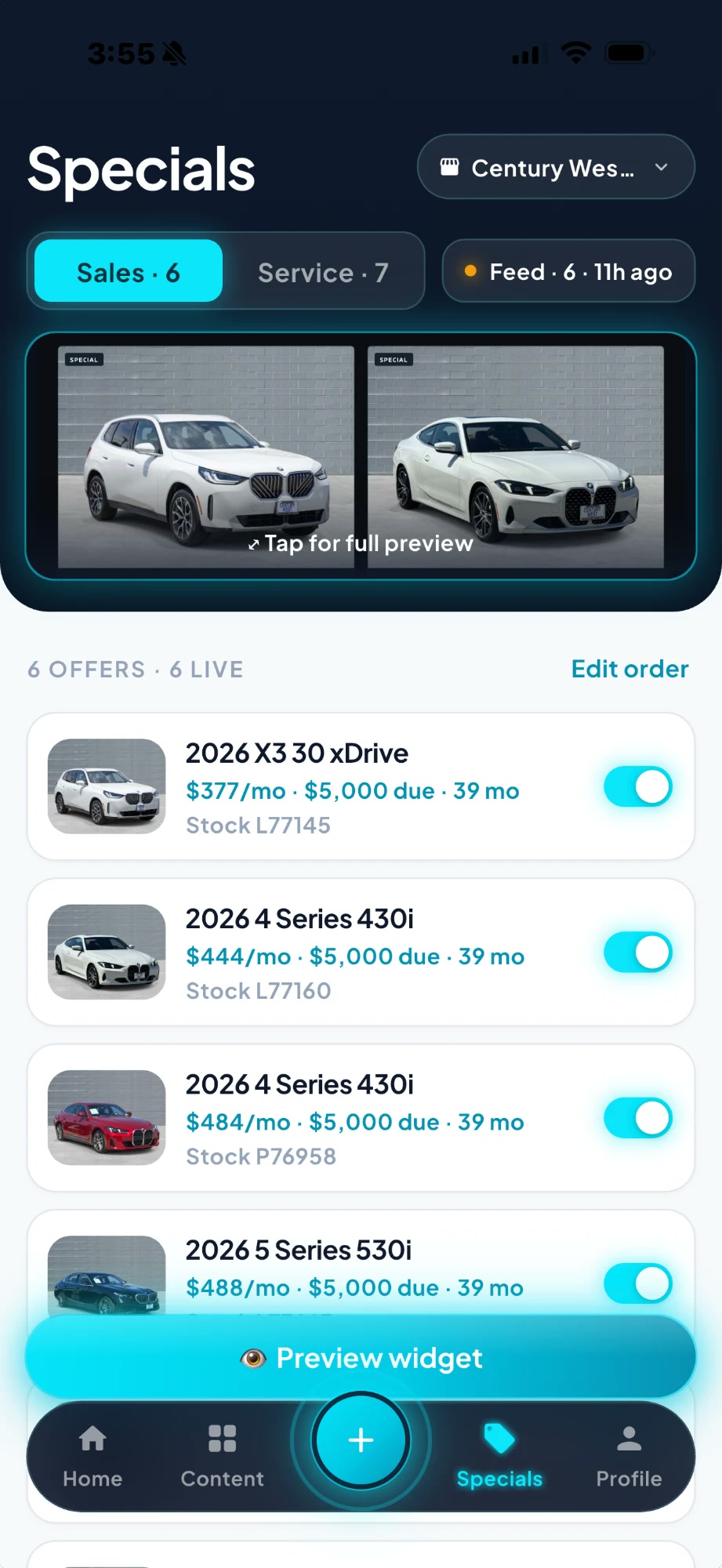
Left, the Specials Builder on the desk's screen: every offer, its payment and its live preview. Right, a store's specials in the app, ready to update from the lot.
Your desk's numbers, your approved words. 🧾
Retyping a lease into a graphic is where mistakes start. So the Specials Builder reads the worksheet itself, a PDF or a photo, and checks that its totals tie. The math is done by code, not guessed. Then your store's approved disclaimer is filled with that car's figures, word for word. The AI never writes the legal text.
Total Price $32,495, incl. $85 dealer document processing charge; excl. taxes, title and registration.
Lease for $299 per month for 36 months, $2,999 due at signing, excl. license and registration.
10,000 miles per year; $0.25 per mile over.
On approved credit to well-qualified lessees. Offer ends at month end.
Shoppers don't follow a script. Your offers meet them anyway. 🧭
Nobody knows where a shopper will land first: a search for your city, a model they're curious about, a car they found in your inventory. So every offer you publish shows up across your site, in the form that fits each page. Update it once and it changes everywhere.
- 1
Your specials page
Every live offer in one place, with the Claim Offer form on each card.
- 2
Your city pages
The pages we build to rank for the towns you sell in carry the offers that matter there.
- 3
Search results
Shopping a model? A banner with that model's offer sits above the results.
- 4
Your model pages
The model pages we build show that model's live offers.
- 5
The vehicle page
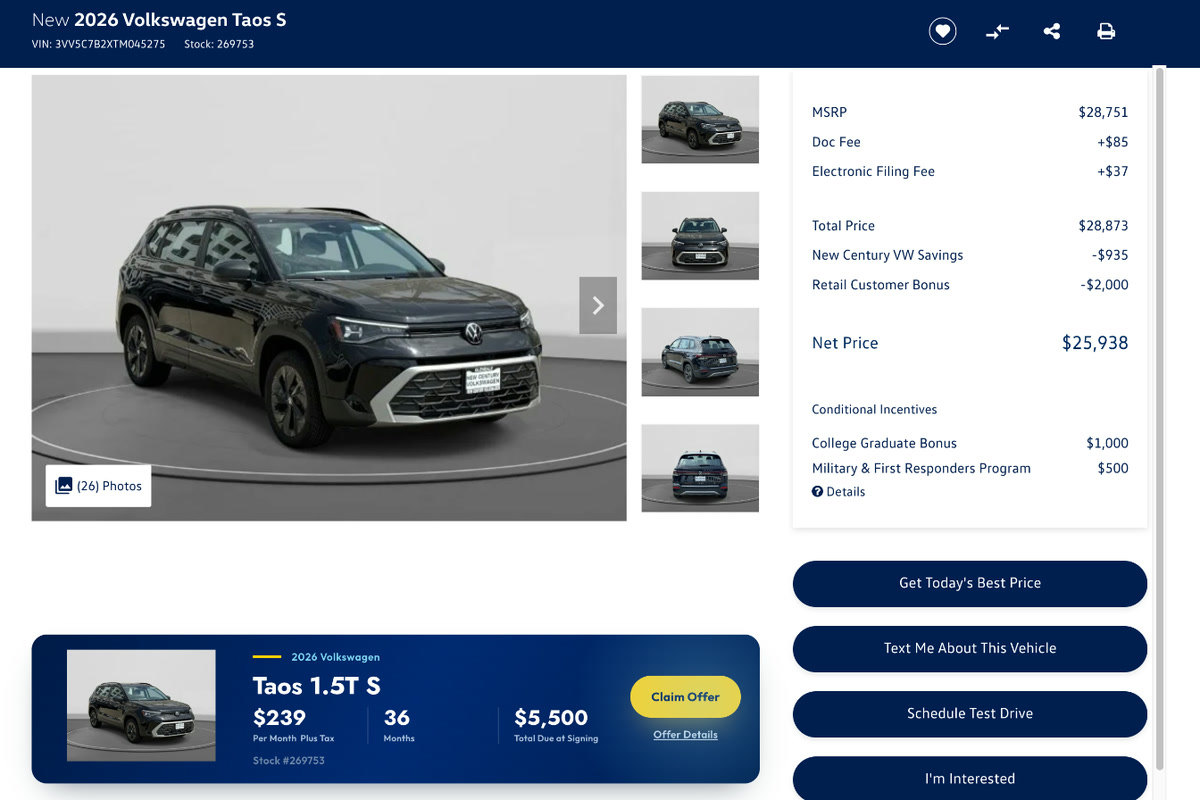
On the car itself, the offer appears as a wide banner, a side rail or a phone strip.
Hide an offer, change a payment or let it expire, and every stop updates with it.
Built for California's CARS Act. 🛡️
California's CARS Act has been in effect since October 1, 2026, and its advertising rules are the strictest any dealer faces today. The Specials Builder is built to them: the Total Price line, the lease and finance terms in the words the rules expect, and nothing published with a figure missing. Wherever the rules go next, your specials are already there.
What every disclaimer carries
- The Total Price, including the dealer document processing charge
- What the price excludes: taxes, title and registration
- Lease terms: payment, term, due at signing, miles per year
- Finance terms in the form federal rules ask for
- The well-qualified line, in English or Spanish
- Your store's own approved wording, word for word
The Specials Builder applies your approved disclaimer and the rules above. Your store and its counsel decide what your disclaimer says.
Worksheet in, offer live, in four steps. ⚡
- 01
Upload the worksheet
A PDF or a photo from the desk, or type the offer, or pick the car by stock number from your inventory.
- 02
It reads and checks
The figures are read, the worksheet's totals are checked, and anything missing is named.
- 03
Your disclaimer, filled
Your approved wording with this car's figures, the Total Price line included.
- 04
Review and Push live
You check the card and press Push live. The site updates in moments.
Change it once. It changes everywhere. 🔁
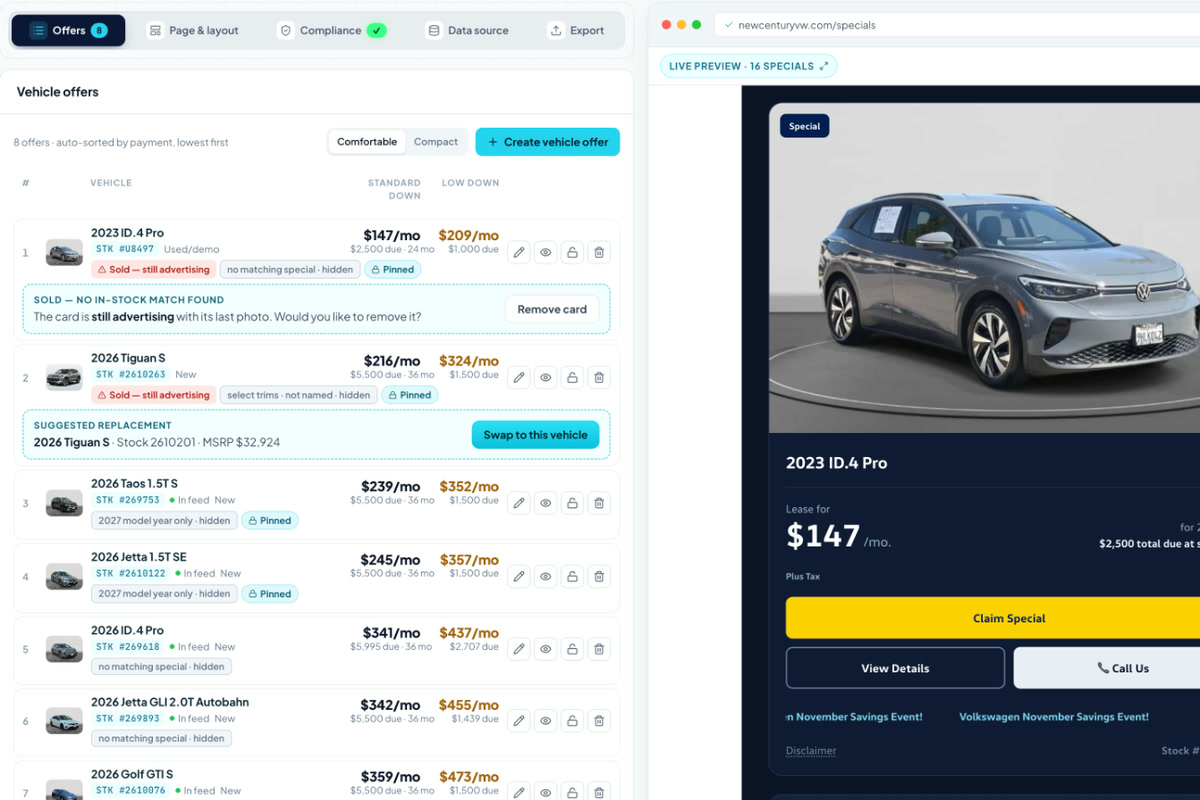
Offers change all month. Update a payment, hide an offer for a weekend, put your best one first, or let it end on its date. When a car sells, the Specials Builder follows your inventory feed: it takes the card down, or keeps it up and suggests a similar car to swap in, your choice. From the web or from the app on the lot.
Know where every offer's leads came from. 📍
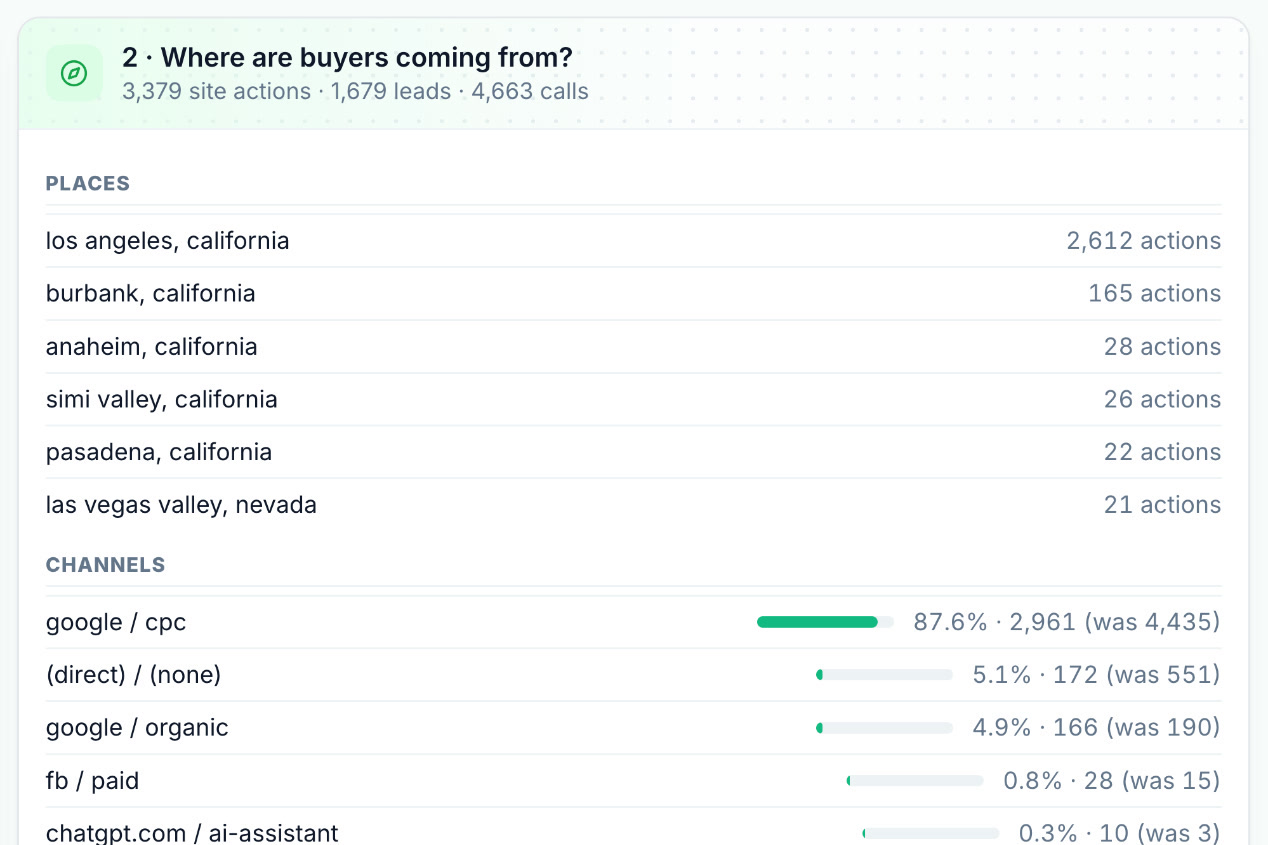
Every Claim Offer lead lands in your report, counted apart from your other forms. If the shopper first arrived on a Google Ads, Meta or Microsoft ad click, the lead keeps that click, even when they come back to convert later. The ZIP code they give puts them on a map of where your buyers live. Next to it, your site's traffic is split by channel, organic search, Google Ads, social and referral, so you see which channels bring the visits and which bring the leads.
The same offer, wherever you speak. 🔗
Ads and posts
Your AI Ads and your social posts pull from the same live offers. No second spreadsheet to keep in sync.
Chat and phones
Your web chat and your AI Receptionist quote only the offers that are live on your site. If it isn't published, they don't say it.
Leads from every card
Claim Offer sends the shopper straight to your team's inbox and into your CRM, the moment they ask.
The builder does the typing. Your desk decides. ✅
What the Specials Builder does
- Reads the worksheet and checks its totals
- Fills your approved disclaimer with each car's figures
- Refuses a disclaimer when a figure is missing
- Places each offer on every page it belongs on
- Takes a sold car's card down, or suggests a swap
What your team decides
- Which cars and offers to advertise
- The payment, the term and the due at signing
- The words of your disclaimer
- When an offer goes live, and when it ends
- The order shoppers see them in