One post. Every channel. Copy written for each one.
Connect the store's Facebook, Instagram, TikTok, YouTube and Google Business Profile once. Then drop in a video or photos, and the Social Calendar writes a caption for each channel, schedules it in your store's time zone and shows you what it reached. One place, every channel, and your whole team in it.
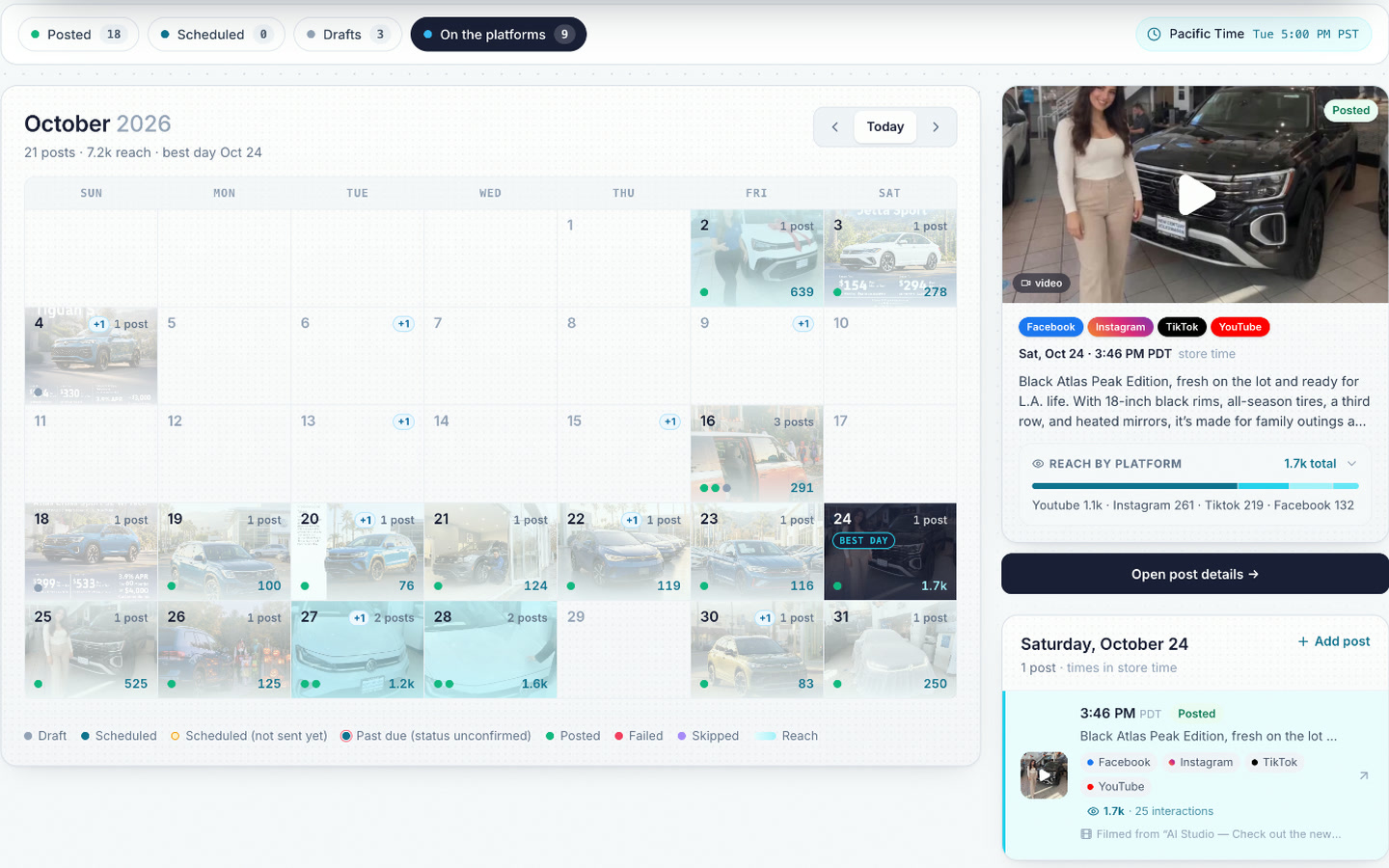
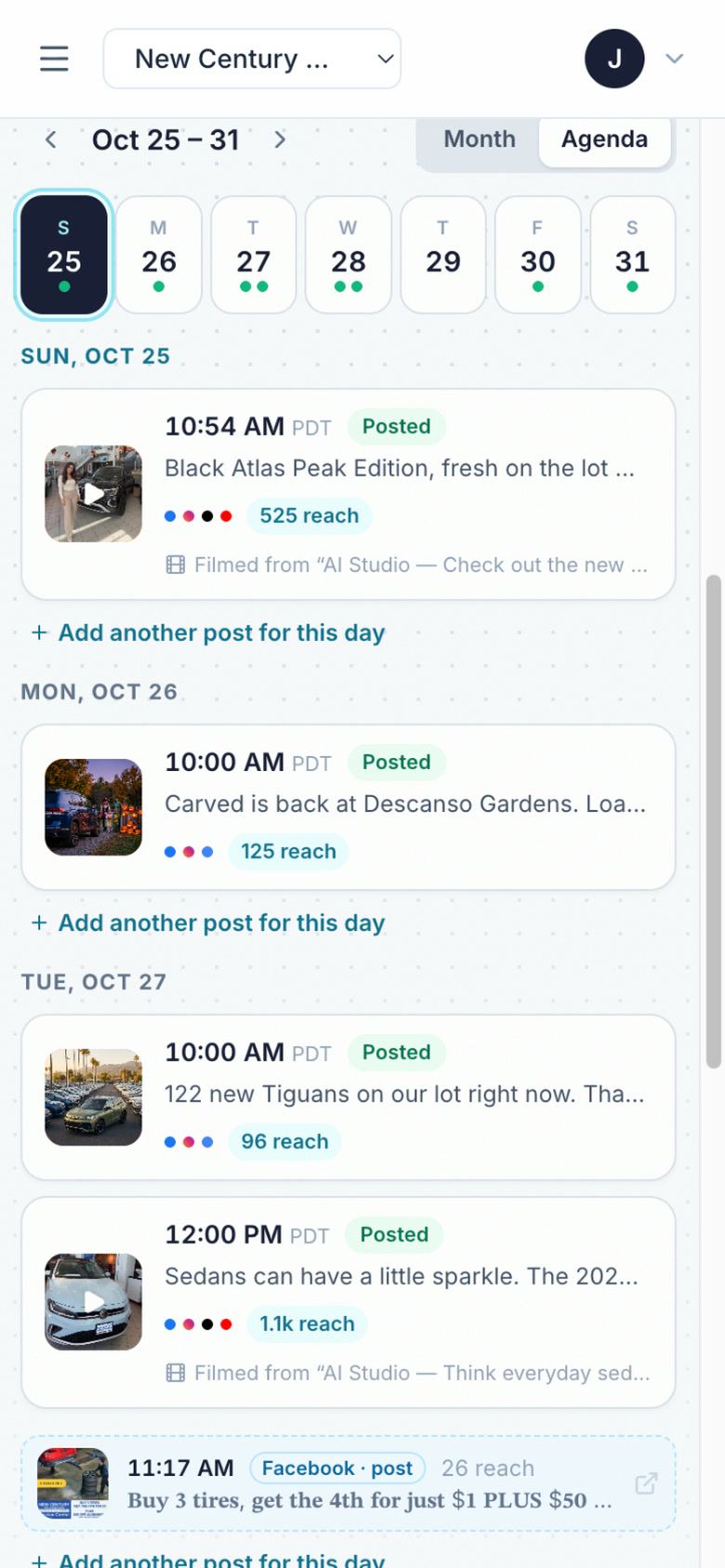
Left, the store's month: every post on its day, shaded by what it reached. Right, the same calendar in an advisor's pocket.
Every channel gets its own words. ✍️
The same caption pasted everywhere reads like a robot on TikTok and gets cut off on Instagram. So the Social Calendar writes one master caption from what is said in your video, or what is in your photos, and then a version for each channel, at once, each within that channel's own length and rules.
Congratulations to our newest owners on their new SUV! Thank you for trusting our team, and welcome to the family. Come see what's new on the lot.
Keys in hand and smiles all around 🎉 Congratulations to our newest owners, and thank you for choosing our team. Link in the comments! 👇
New keys, new adventures 🚙 Congratulations to our newest owners! Link in the comments! 👇
That first-drive feeling 🔑 Congrats to our newest owners! Link in the comments! 👇
Congratulations, and thank you for choosing our team. See what's on the lot now.
Congratulations to our newest owners on their new SUV! Thank you for trusting our sales team. Stop by this week to see what's new on the lot.
Captions are written in your store's language, English or Spanish, and you can edit any of them before it goes out.
Your people are the brand. Give them the calendar. 🤝
A shopper can find the same car at three stores down the road. What they can't find anywhere else is your people: the advisor who walks them through the lease, the service advisor who explains the repair, the parts counter that finds the right part. The Social Calendar gives your sales, service and parts team their own access to the store's channels, so they can see what is going out and add their own voice to it.
Sales
Sales advisors and managersThe walkaround, the delivery, the car that just arrived, filmed by the person who sells it. Shoppers meet the advisor before they ever walk in.
Service
Service advisors and managersA tip at the drive, a seasonal check explained, a thank-you to a long-time customer. The faces your customers already trust with their car.
Parts
Parts advisorsThe accessory that just came in, the right part for the job, from the counter that knows it. A department most stores never show online.
Want your team on camera every week? See Team on Camera →
From your phone to every feed in four steps. 🔁
- 01
Drop it in
A video or photos, from the app or the web. Drop them anywhere on the calendar to start a post.
- 02
The captions write themselves
A master caption from what is said in the video, then one version per channel, at once.
- 03
Schedule or publish now
Pick the channels and the time. It goes out in your store's time zone.
- 04
We check it went out
Each channel's status comes back to the calendar. If a channel refuses a post, you get one email saying which and why.
Your whole month on one screen. 📅
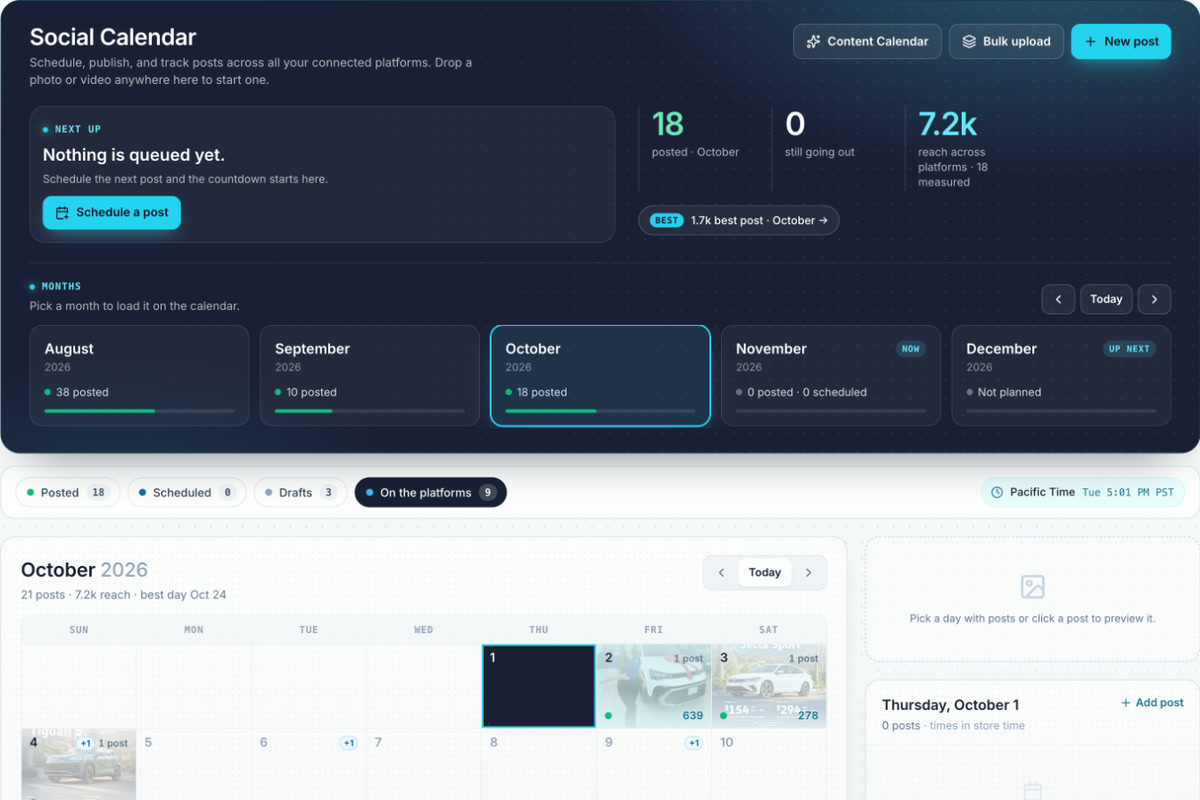
Every post sits on its day, with a thumbnail and the channels it went to. Days are shaded by reach, so you can see at a glance which days worked. At the top, what goes out next and a strip with the month so far: posted, going out, reach, your streak and the gaps to fill.
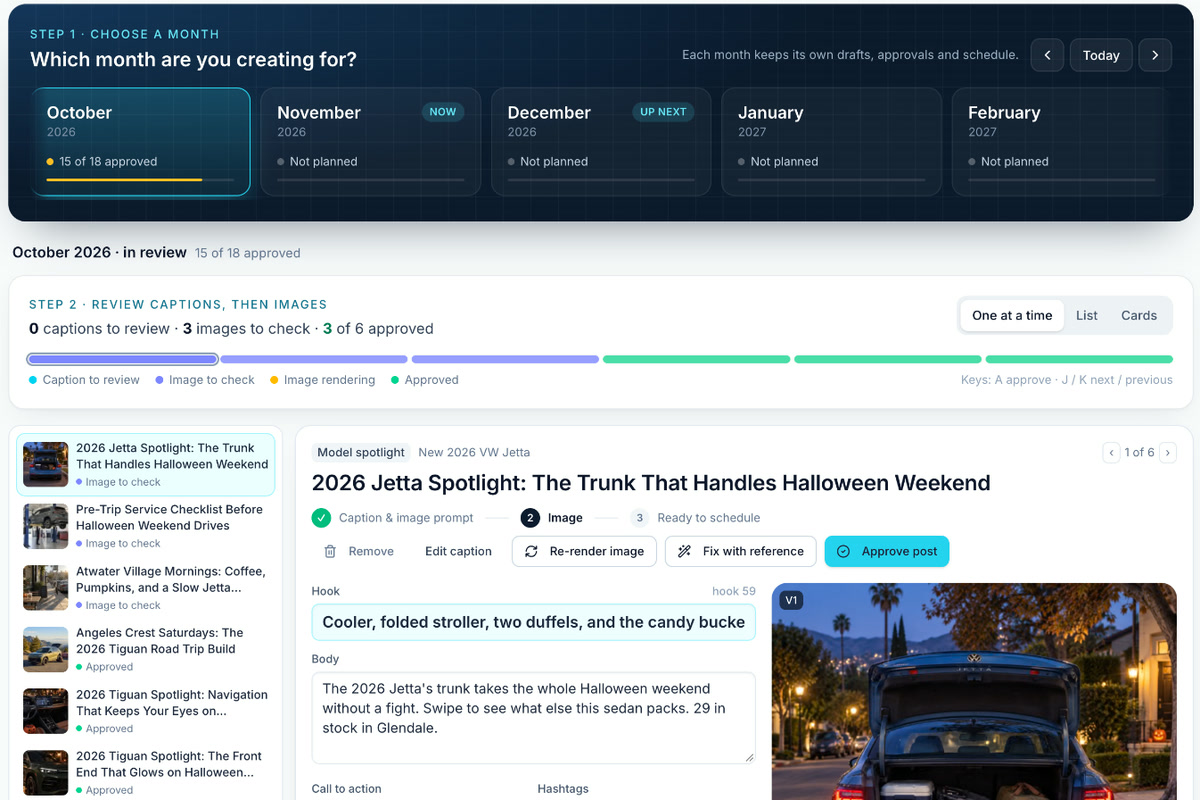
A month of posts, drafted for your review. 🗓️
When the store needs more than its own videos, the Content Calendar drafts a month in one go: offers on cars that are on your lot, a spotlight on a model you have plenty of, service reminders, and what is happening this month. You review every draft, edit what you want, and schedule them all at once.
Every post reports back. 📈
Reach on every post
Reach and engagement come back from each channel every day. You see them on the post and on the calendar.
Everything you published
Posts made straight on Facebook, Instagram, TikTok or YouTube show up too. The whole picture, not just what went through us.
Your best times
Suggested times come from your own audience's activity on each channel. Not a guess, and not a rule of thumb.
The calendar drafts. Your team decides. 🛡️
What the Social Calendar does
- Writes the master caption from your video or photos
- Writes a version for each channel, within its length
- Moves links to the first comment where a channel needs it
- Sends each post at the time you picked, in your time zone
- Brings back each channel's status and reach
What your team decides
- Which channels each post goes to
- The final words of every caption
- When it goes out, or whether it does
- Which drafts from the month to keep
- Who appears on camera